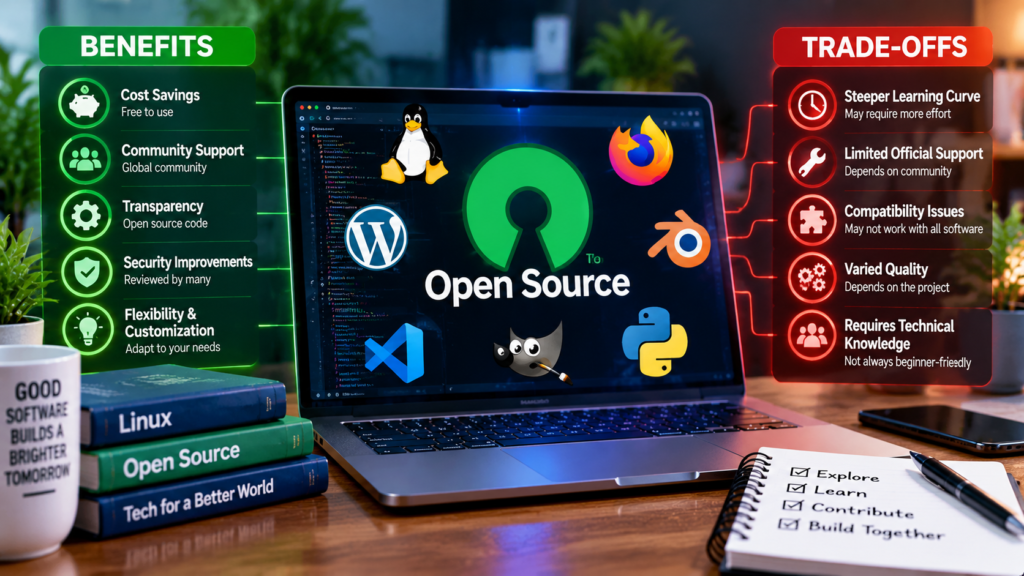
Open-source software is built around licences that give users access to source code and defined freedoms. It powers tools used by individuals, companies, schools and public services.
Potential benefits
Users can inspect the code, adapt it and benefit from community contributions. Open projects can reduce dependence on a single vendor and support learning.
Responsibilities and risks
Open source does not automatically mean free of cost, secure or easy to maintain. Check the licence, update history, project health and available support. Organizations should track dependencies and security advisories.
Choosing a project
Look for active maintenance, clear documentation, a transparent issue process and a licence compatible with your intended use. Test the software before relying on it for critical work.
The takeaway
Open source offers flexibility, but users still need governance, updates and support planning.
('A sensible selection process', 'Write down the task the software must perform, the file formats you need and the devices it must support. Test a realistic workflow before moving important work into it. Confirm how data can be exported so you are not locked into a service without a workable exit plan.')
('Maintenance matters', 'Keep the application updated, remove extensions or add-ons you no longer use and review access permissions after major changes. For team software, assign an owner who can manage accounts, renewals, backups and access when staff roles change.')
Frequently asked questions
How can I choose software that will remain useful?
Test it on a realistic task, check privacy and support terms, and make sure your data can be exported.
Why does context matter?
Specifications, availability and best practices can differ by product, region and date. Check current official documentation before making a purchase or changing an important system.